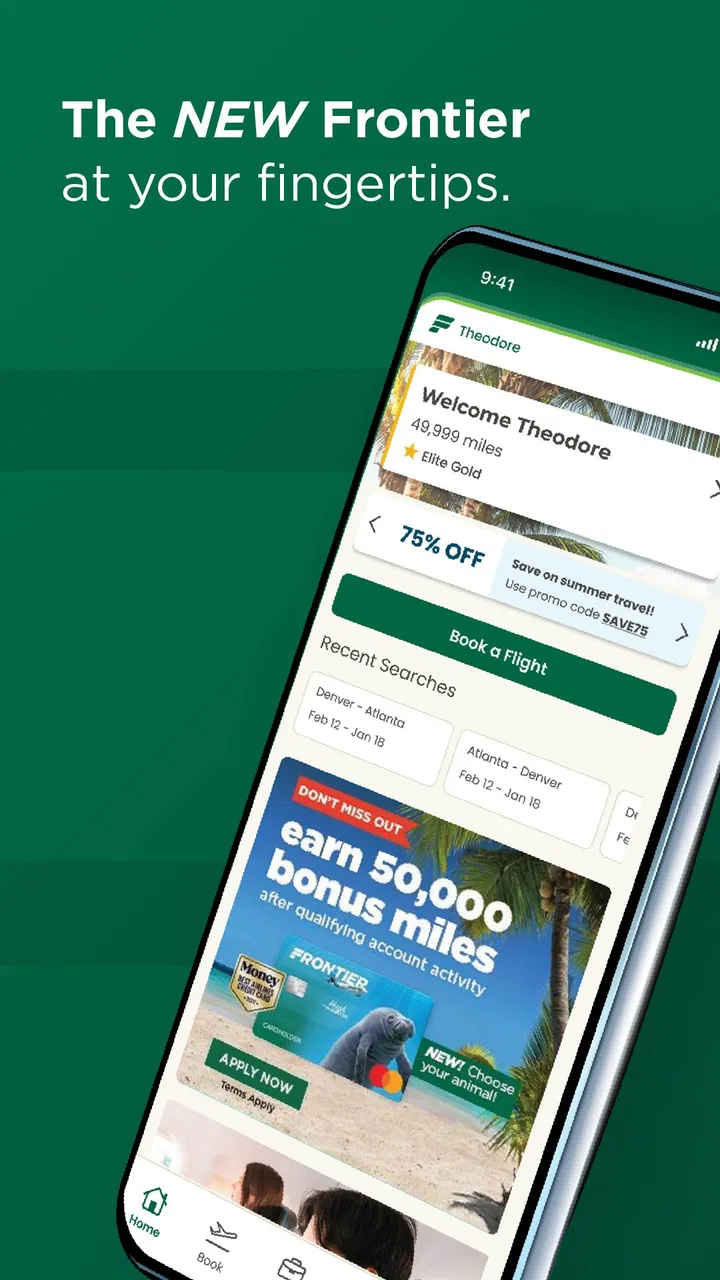
Frontier Airlines
- 4.8
- Rating
- 5.00M
- Installs
- Free
- Price

 Analysis by App-foxy
I installed Frontier Airlines to see whether it genuinely makes the airline side of a trip easier, rather than simply putting a booking page inside a phone. My overall impression is that it is most useful when your journey is already tied to Frontier and you want a practical mobile place to manage it. It belongs to the Travel & Local category, costs nothing to download, and is made by Frontier Airlines. That focus is both its main strength and its biggest limitation: it can be convenient for a Frontier passenger, but it is not a broad travel planner for comparing every airline or organizing an entire holiday.
The app has been available since October 21, 2015, and its current Android release is version 3.5.4 Build-865. It is intended for Everyone and requires Android 11 or later. Those details matter because the experience depends partly on whether your phone can run the current version; on an older device, the normal alternative may be using Frontier through a mobile browser rather than replacing your phone just for one airline application.
What I looked for before trusting it with a trip
Airline apps handle moments when people are especially sensitive about control: entering passenger details, reviewing a reservation, choosing travel options, and checking information close to departure. I therefore paid attention not only to whether the app was convenient, but also to whether its choices felt understandable. A travel app does not need to do everything to be useful, but it should make it clear when I am viewing a booking, when I am changing something, and when I am moving toward a purchase or an additional service.
You May Also Like

 Blood Strike: 2.5 Anniversary
Blood Strike’s Loadouts Turn Every Drop Into a Tactical Gamble
A close look at Blood Strike’s custom loadouts: how fast access to signature weapons reshapes its battle royale rhythm, rewards preparation, and narrows the gap between fights.

 Pandora - Music & Podcasts
Pandora’s Music Is Easy to Start, but Harder to Recover
Pandora’s strength is its low-effort path from a seed to a station. Its weak spot is how much confidence it asks you to place in connection, setup, and quiet recovery.

 8 Ball Pool
 Is Built on Rivalries, Rematches, and Routine
A close look at the rivalries, rematches, shared routines, and unanswered safety questions that turn a quick pool match into a persistent mobile community.

 Samsung Music
’s Quiet Strength Is Playing What You Already Own
Its reach comes less from spectacle than from dependable access to a personal library. That simplicity is both the app’s strongest retention engine and its ceiling.

 AccuWeather: Weather Radar
AccuWeather Review: A Quick, Clear Forecast for Everyday Decisions
For everyday plans, the best forecast is the one you can understand quickly. AccuWeather makes rain timing, radar, and local conditions easy to act on, with a few trade-offs.

 Hill Climb Racing
Why Hill Climb Racing Still Turns Crashes Into One More Run
A tiny car, a bumpy hill and one more upgrade: Hill Climb Racing keeps resurfacing because its simple chaos makes every near-miss feel personal.
More From Our News Desk



Frontier’s app is best understood as a direct channel to one airline. That gives it a clearer purpose than a general travel app. Instead of mixing hotel reservations, maps, loyalty programs, and many carriers into one crowded interface, it concentrates on the Frontier relationship. I found that approach helpful when I already knew which airline I was flying. It also means I would not open it first when I was still deciding between several airlines, comparing a complete trip, or looking for an independent overview of all available routes.
The app has built a substantial audience, with more than five million installs and an average rating of 4.7 from roughly 169 thousand ratings. That level of adoption suggests it is not an experimental side project, although popularity alone is not proof that every traveler will find it comfortable. Airline apps can feel excellent when a reservation is easy to locate and less reassuring when a traveler is under pressure, so I judge the practical workflow more heavily than the headline rating.
Where a direct airline app earns its place
The strongest use case is a simple one: I have a Frontier booking, I want the airline’s own information in one place, and I do not want to keep searching through email or a browser tab. A dedicated app can reduce that friction because the trip is associated with the airline rather than scattered across unrelated travel tools. For a traveler who flies Frontier regularly, that direct relationship is more valuable than a generic itinerary organizer that may only collect links and confirmation messages.
A realistic example is a short weekend trip. I might book at home, then check the reservation again while commuting, review the trip before leaving for the airport, and open the app when I need to confirm what I am doing next. In that situation, the benefit is not a spectacular feature; it is having a familiar airline-specific place to return to. I would still keep my confirmation details available elsewhere, because relying on one app during a time-sensitive journey is an avoidable weakness.
Another useful habit is to treat the app as a review point before committing to changes. Rather than tapping quickly through an unfamiliar screen, I would pause at each stage and check the passenger name, travel dates, route, and any optional selection shown before confirming. This is especially important with airline services, where a small misunderstanding can affect the cost or the conditions of the trip. The app may make the process faster, but it does not remove the need for careful reading.
Controls and choices deserve deliberate attention
My trust in an airline app comes from visible choices, not from assuming that an official-looking interface will protect me from every mistake. When I use Frontier’s app, I would check which account or reservation I am viewing before making changes. If several people in a household travel together, it is easy to open the wrong confirmation or act on the wrong passenger information when moving quickly. A two-second verification is a better safeguard than trying to repair an error later.
I also prefer to separate browsing from confirming. Looking at a trip or reviewing available options should not be treated as the same thing as finalizing a change. My practical rule is to stop before the last confirmation step, read the complete summary, and take a screenshot or note of important details afterward. That workflow is useful even when the app presents the information clearly, because phones can lose connectivity and travel plans can change unexpectedly.
For privacy-conscious users, the safest approach is to grant only the access that is visibly needed for the task at hand and to review Android’s app controls periodically. I would not enable a device permission simply because an app is installed. I would ask whether I am actively using a function that needs it, then revisit the choice after the trip. This is a general Android practice, but it is particularly sensible for a travel app that may be used only around occasional journeys.
I would also avoid entering sensitive information while connected to an unfamiliar public network if I had a reasonable alternative. The app is a convenient tool, but convenience should not encourage rushed decisions in a coffee shop, airport lounge, or hotel lobby. If I must use it in that setting, I would double-check the network, keep the screen private, and confirm that I am interacting with the official application rather than a misleading page opened from an advertisement or message.
Data-sensitive moments during a journey
The most sensitive moments are not necessarily the opening screen. They are the points where a traveler identifies a booking, supplies passenger information, reviews an itinerary, or considers an optional purchase. My advice is to slow down at those points. Read what is being requested, distinguish required details from optional choices when the interface makes that distinction visible, and do not assume that tapping forward is harmless.
I would be especially careful when using the app in a group. One person often holds the booking while another person is standing nearby, and that can lead to accidental exposure of names, travel plans, or confirmation details. I would keep the phone facing me, lock the screen when finished, and avoid leaving a reservation open on a shared device. These are small habits, but they give the traveler more control over information that can be personally revealing.
There is also a practical privacy trade-off between speed and review. An app can be faster than retrieving a message from an inbox, yet a fast workflow can tempt me to accept a preselected choice without understanding it. I would use the mobile convenience for checking and organizing, but I would reserve a quiet moment for anything that changes the booking or adds an expense. If the screen feels ambiguous, I would stop and use Frontier’s official support route or another official channel rather than guessing.
For passengers who are uncomfortable storing travel information on a phone, the app may not be the right primary tool. A browser session on a personal device, printed documents, or an offline note can provide a backup approach, though each has its own risks. I would not treat the app as a replacement for every other record. Keeping the essential itinerary accessible without depending entirely on an internet connection is sensible preparation, especially on a travel day when battery life and connectivity are uncertain.
How it compares with browsers and general travel apps
Compared with visiting Frontier through a mobile browser, the app should feel more direct for repeated airline tasks because it is already installed and designed around the carrier. The browser remains attractive for occasional passengers who do not want another application on their phone, for people using an older Android version, or for anyone who prefers not to keep an airline account or reservation workflow in a dedicated app. If I fly Frontier once and rarely need to revisit the booking, the browser may be enough.
Compared with general travel apps, Frontier’s narrower scope is a clear trade-off. A broader service may be better for comparing airlines, combining flights with hotels, tracking several carriers, or keeping a complete multi-provider itinerary in one place. Frontier’s app is more appropriate after the airline decision has already been made. I would use a general planner for the big picture and the airline’s own app for carrier-specific attention, rather than expecting one application to perform both jobs equally well.
This distinction also affects families and frequent travelers. A family with several airlines across one vacation may prefer a central itinerary tool, while a passenger whose trips are mostly with Frontier can benefit from staying inside the airline’s environment. Business travelers should consider whether their employer requires a separate booking or expense workflow. In that case, the Frontier app may still be useful for the airline portion, but it should not automatically become the official record for the whole work trip.
Who should use it, and who may want another option
I would recommend Frontier Airlines to a passenger who already has a Frontier reservation, uses Android 11 or newer, and values a direct way to revisit airline information from a phone. It is also a reasonable choice for someone who dislikes juggling confirmation emails and wants a dedicated travel tool from the carrier itself. The free price removes the usual hesitation about trying it, although the real value depends on how often the person flies with this particular airline.
I would be more cautious about recommending it as a first download to someone still shopping for flights. It is not the natural place to compare the whole market, and its airline-specific design may add little before a Frontier itinerary exists. I would also suggest another tool, or at least a browser-first approach, for users who have an older operating system, very limited storage, or a strong preference for keeping occasional travel activity outside dedicated apps.
One non-obvious advantage of using it selectively is that it can act as a focused checkpoint rather than a permanent travel command center. I would open it when I need Frontier-specific information, review the reservation carefully, record what matters, and then close it. That minimizes unnecessary exposure on a shared or borrowed phone and keeps the app’s role clear. A focused workflow is often safer and less confusing than allowing every travel application to hold overlapping versions of the same itinerary.
My cautious verdict after using the airline workflow
Frontier Airlines succeeds because it has a clear job: support passengers who are dealing directly with Frontier on a mobile device. I like that its purpose is narrower than a general travel platform, since a focused airline app can be easier to return to when a booking already exists. The strong average rating and broad install base reinforce that it is a mature, widely used option, while the free download makes it easy to test for a specific trip.
My reservation is not about the idea of the app, but about how carefully any traveler should use an airline tool. I would not rush through booking changes, assume every choice is harmless, or rely on the app as the only copy of essential travel information. I would review account and device controls, protect the screen in public, and keep a backup of the itinerary. Those steps preserve user agency instead of handing the whole travel process to a single interface.
My bottom line: use it when Frontier is already your airline, but use it deliberately. For a regular Frontier passenger, the convenience is convincing and the dedicated focus is more useful than a generic app for carrier-specific tasks. For a traveler comparing many airlines, managing a complex multi-provider holiday, or avoiding airline applications altogether, a browser or independent travel organizer may be the better fit. In my experience, it is a practical companion for the right journey, not a universal replacement for every travel tool.
FAQs for Frontier Airlines
01What features does the Frontier Airlines app offer?
The Frontier Airlines app provides users with the ability to book flights, manage bookings, and check flight status in real-time. It also offers mobile check-in, boarding passes, and access to exclusive deals. Additionally, users can view their travel history and earn miles with the Frontier Miles program directly through the app.
02Is the Frontier Airlines app free to download and use?
Yes, the Frontier Airlines app is free to download on both Android and iOS platforms. While the app itself does not have any cost, users may incur charges for services like booking flights, selecting seats, or purchasing additional baggage, as these are standard airline fees.
03Can I check in for my flight using the Frontier Airlines app?
Absolutely. The app allows you to check in for your flight, usually starting 24 hours before departure. Once checked in, you can access your mobile boarding pass directly from the app, which you can use at the airport security and gate. This feature streamlines the travel process and reduces the need for printed documents.
04Does the Frontier Airlines app work offline?
While some features of the app, like viewing your boarding pass, can work offline, most of the app's functionalities require an internet connection. For example, booking flights, checking flight status, and updating your travel itinerary will need connectivity to function properly. It’s advisable to have internet access for the best experience.
05How secure is the Frontier Airlines app for transactions?
The Frontier Airlines app employs robust security measures to ensure that user data and transactions are protected. It uses encryption protocols to safeguard personal and payment information. However, it's always recommended to keep your app updated and monitor your account for any unauthorized activity to maintain security.
Pros
- User-friendly booking interface.
- Affordable flight options available.
- Smooth check-in process.
- Convenient mobile boarding passes.
- Real-time flight status updates.
Cons
- Limited in-flight entertainment.
- Extra fees for seat selection.
- Narrow seats with limited legroom.
- Occasional app performance lags.
- Customer support response time.

Frontier Airlines
Gallery